

Bridging the Data Gap
Or how do we begin using data better in the post production process.

What is the data gap?
The film industry, in general, prefers stability over embracing change. Many of the methods we use to perform our jobs are relics of an older, analog age. No one likes to be the first to initiate change, nor do they want to be caught making excuses like "but we were trying to modernise" when faced with new technology that fails to function properly. Additionally, many of the individuals developing these technologies fail to recognise the constraints that film productions encounter on a day-to-day basis. While it's beneficial to invent an iPad app for continuity notes, in scenarios such as a rainswept Welsh hillside twenty miles from anywhere, nothing beats using a paper and pencil.
Post-production is no stranger to this either. The vast majority of edits still rely on EDLs, AAFs, and basic Google Sheets to relay data from production to grading, VFX, and post-production sound. Many productions still rely on paper camera notes and printouts of daily continuity sheets as the sole method of conveying important information recorded during production to the later stages of post-production. While there are many new technologies emerging, such as Origami; which looks really impressive, to assist with these tasks, it still feels to me that a significant amount of information—from the data recorded by modern cameras to details about the story and script, as well as a plethora of logistical and scheduling information maintained by assistant directors and production—fails to bridge this data gap.
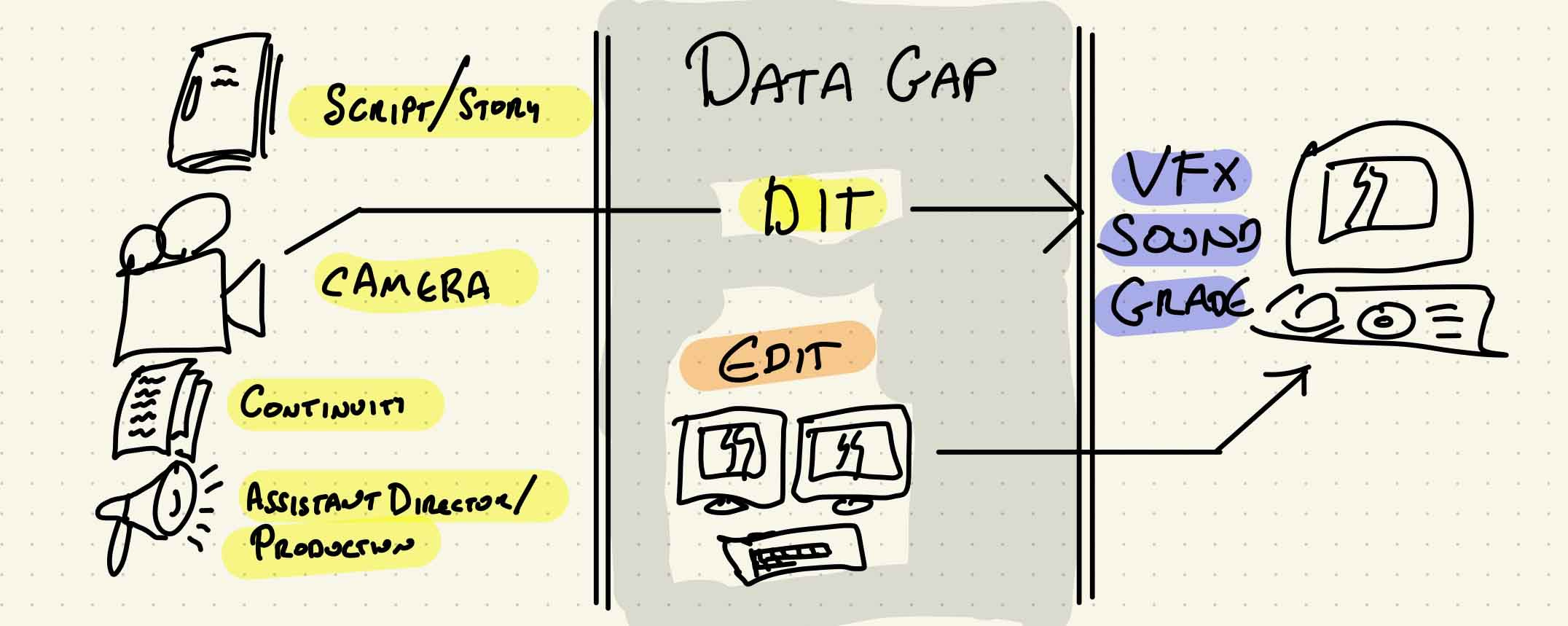
While some assistants maintain and manage a code book (here’s a great deep-dive by Johnny Elwyn), this practice is typically limited to larger feature films or VFX-heavy TV shows. I'm also intrigued by the possibility of creating something more expansive than a simple code book —a central hub that connects data, both narrative and technical, from pre-production through to the end of post-production, linking up with schedules and providing resources for all aspects of the production and post-production process.
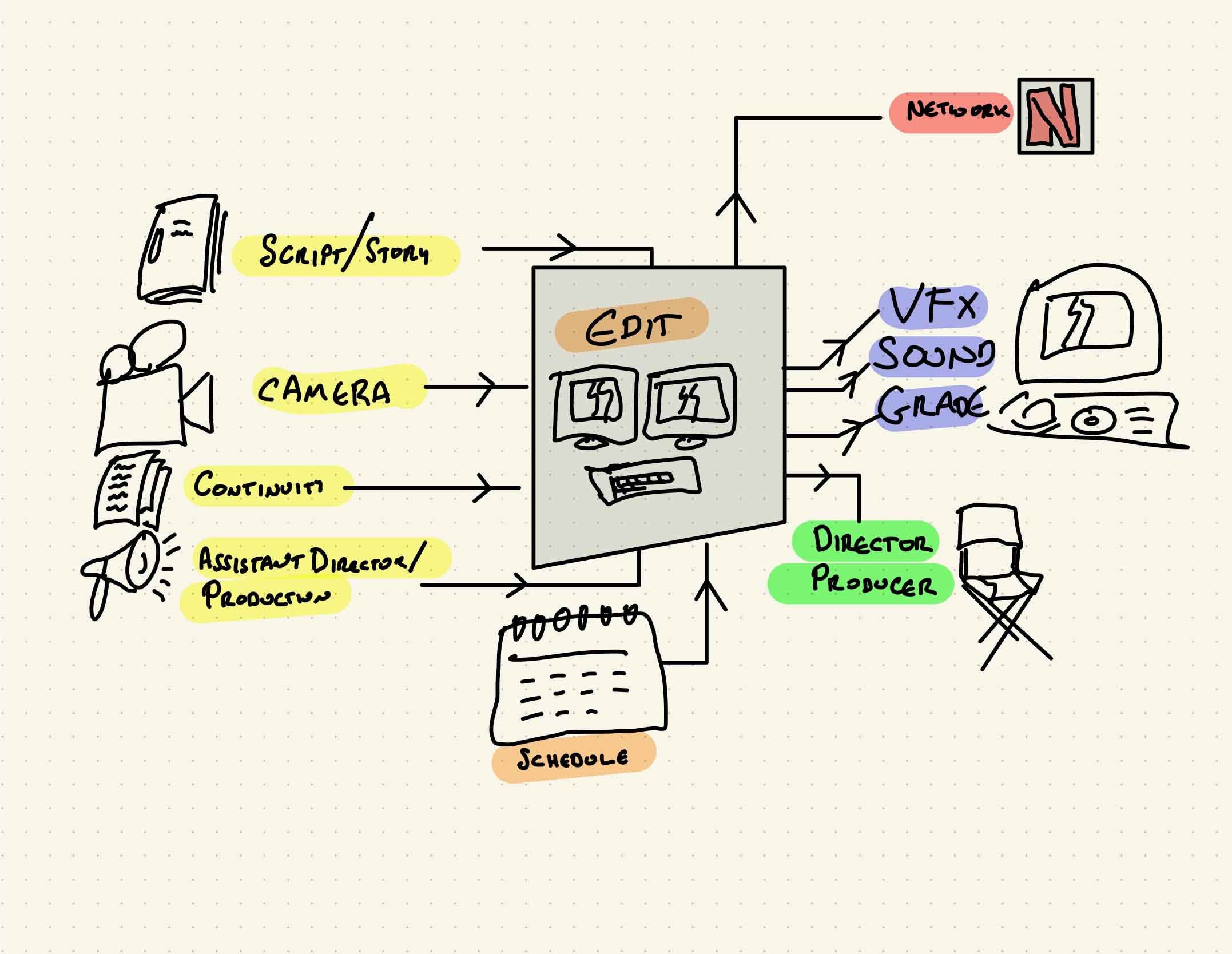

But first thing’s first…
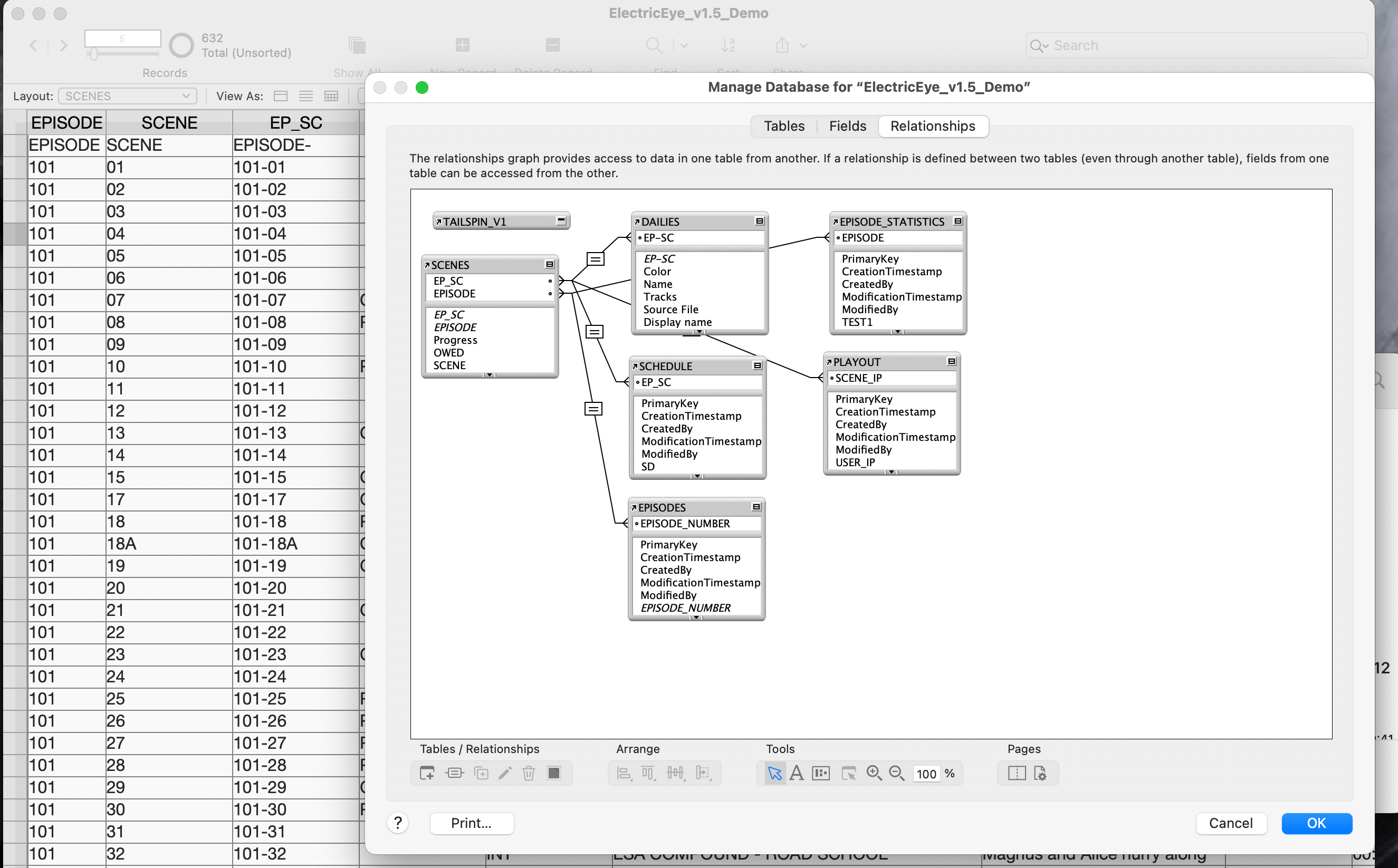
(Before I get ahead of myself) I needed to start somewhere. Many assistants and VFX assistants use the database system FileMaker. Editor Walter Murch, one of the system’s biggest proponents, has sung its praises for years. I spent a couple of years working on my own setup in FileMaker. It was a great place to start learning how to work with databases and slowly begin to learn coding. Many of the little tools I've been developing this year all started their life in my FileMaker app.
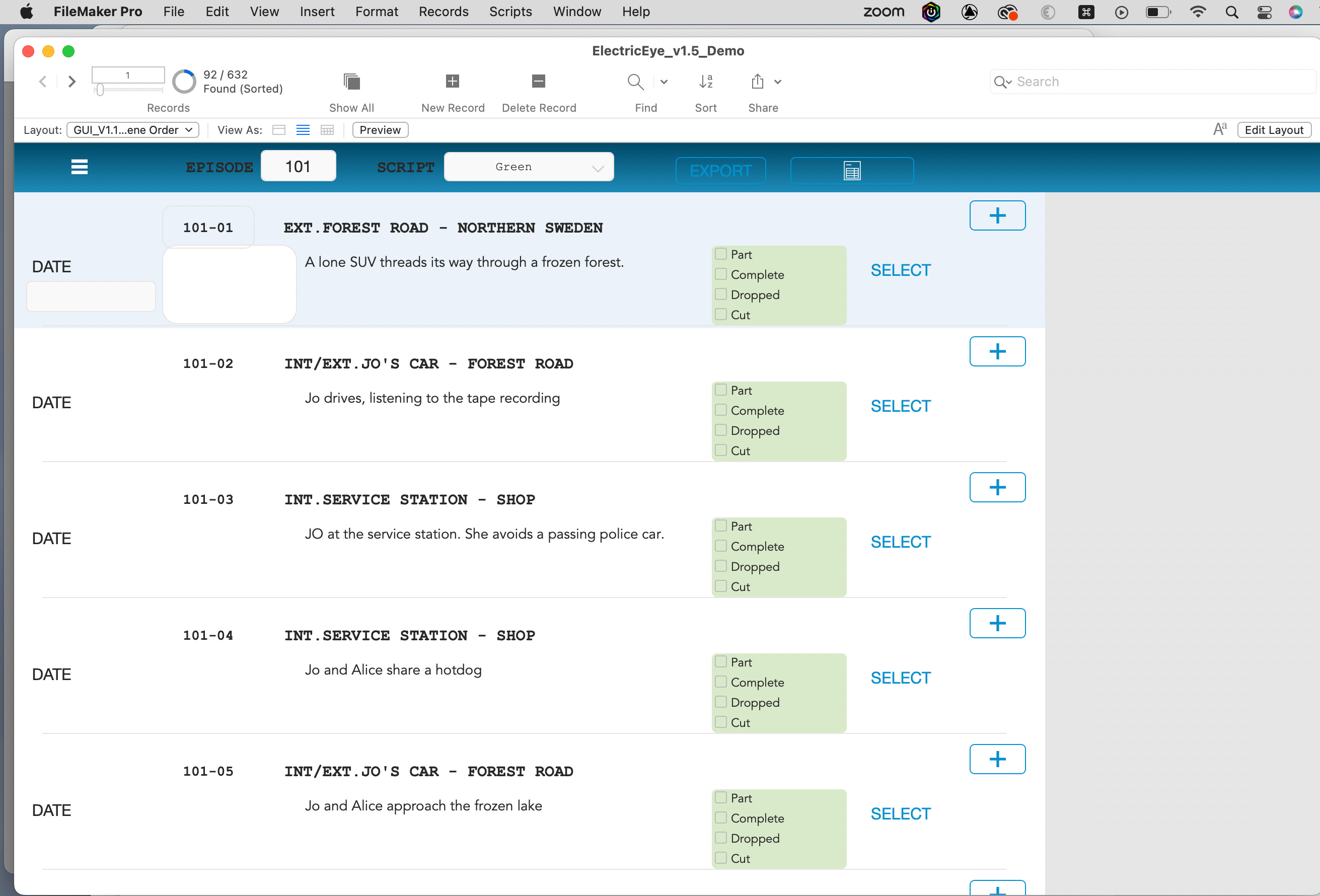
With its intuitive interface, I began by defining the data structure and layout using simple drag-and-drop tools. The software's great templates provided an excellent starting point, enabling me to customise the app's design. I also appreciated its efficiency in presenting a lot of the data in a compact manner and its ability to export convenient, easy-to-view PDFs for reviews. As my coding skills improved, I could create markers and subcaps text file exports from the available datasets. However, this year, I became curious to test if I could start from scratch on something new.

Building something new from scratch
As I think I’ve pointed out already, I’m only recently self-trained in how to code so I am probably the tech-world equivalent of a writer who publishes “GPT co-authored” novels to their Kindle Store each week. So I wanted to begin with something straightforward.
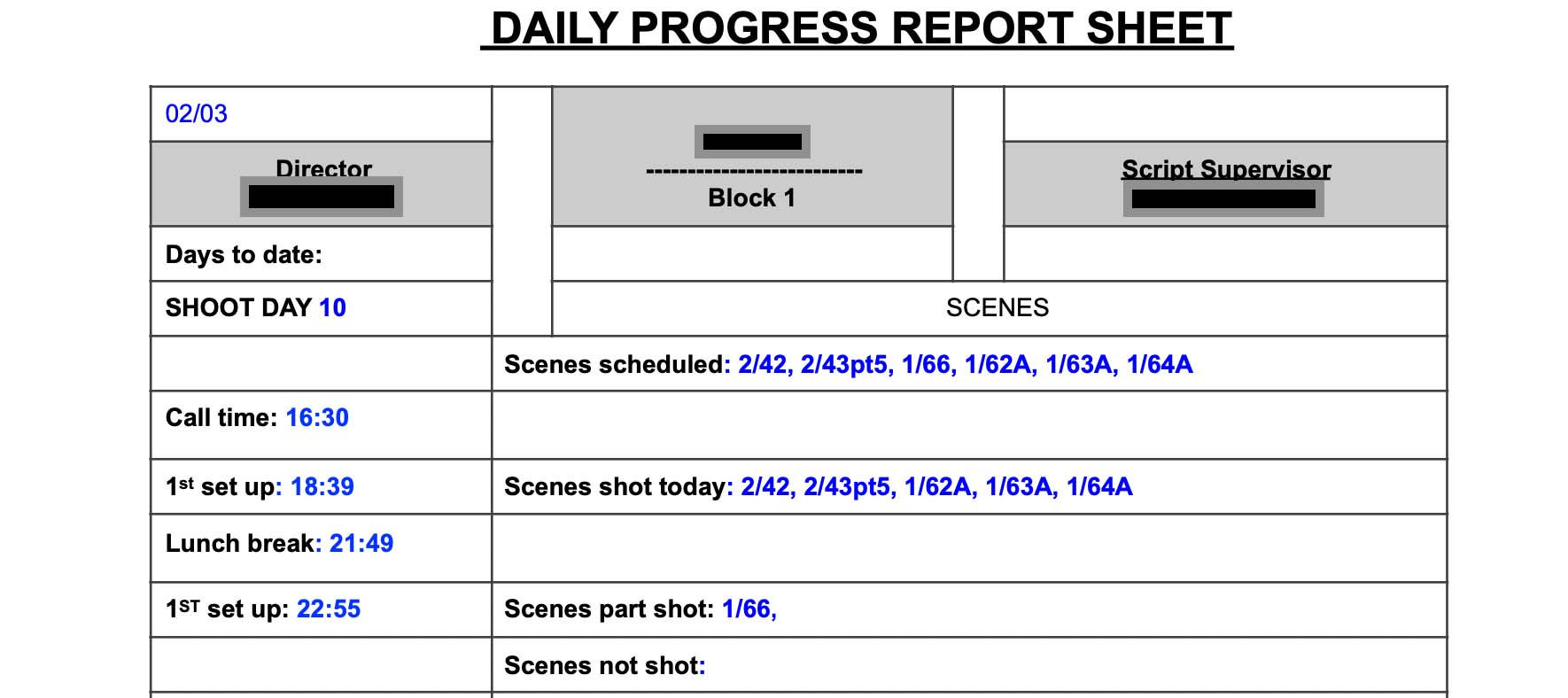
The progress report, generated daily by the script supervisor, outlines the status of scenes slated for shooting, indicating completed, partially completed, and dropped scenes. It contains vital information for the editing process, including scene timing and outstanding pickups. Within the new app, I designed a user-friendly interface for inputting scene details such as :
Scene
The Scene Header
The Scene Synopsis (a short description)
The Scene’s script timings
The Scene’s shoot timings
The Progress of the scene
as well as
The Shoot Day
The Date that the footage was shot
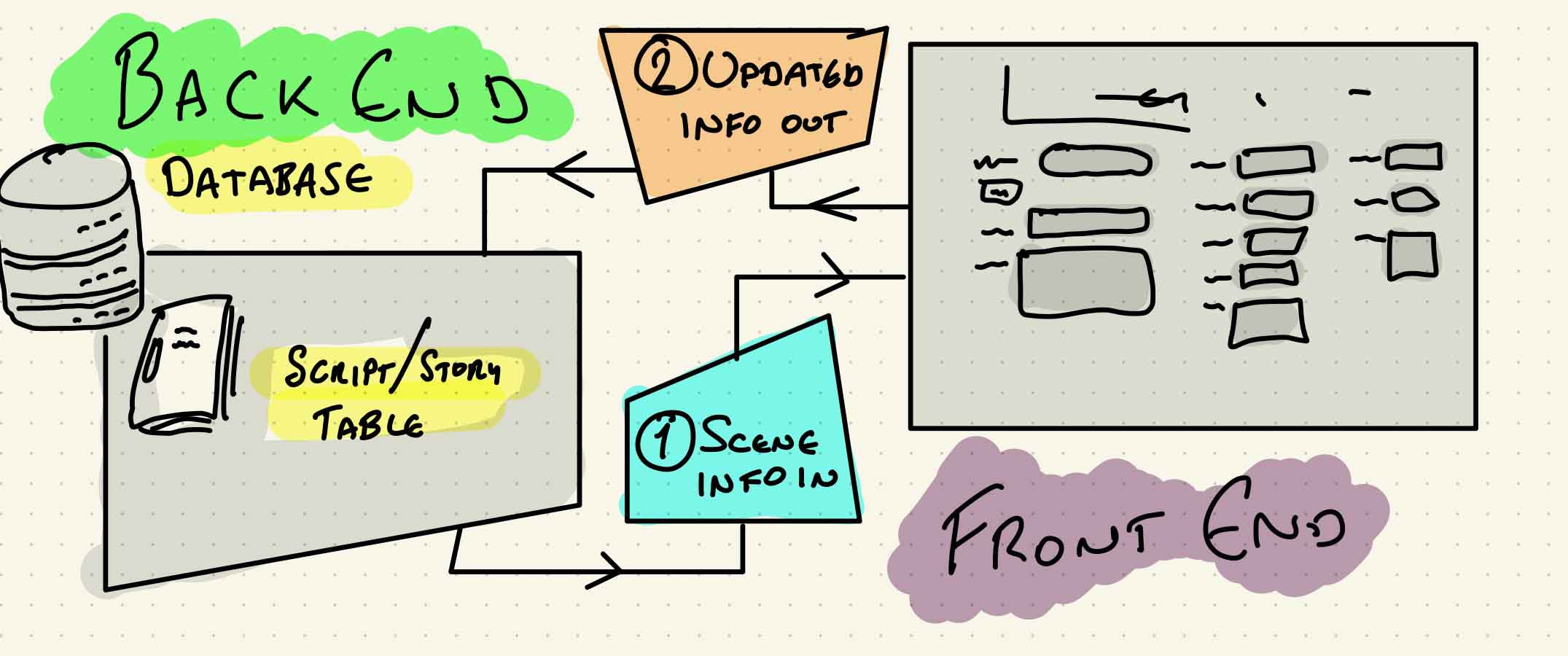
Leveraging existing data from my SCRIPT database, my new app finds the information related to that scene, presents to you so that you can amend or update it, and then saves the information back into the SCRIPT database.
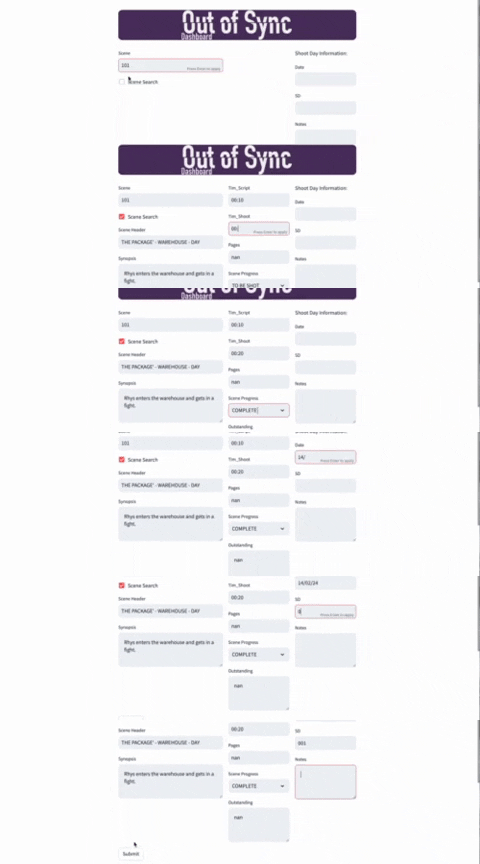
Nothing too complicated as a first step but hopefully something which I can build on in the coming weeks and months as I develop the tool for myself and test it out in the field.