

Making Progress on the Process of Making Progress
There are two ways of using AI tools: to do a job faster than you could have in the past, or to innovate. What’s really interesting about the technology for someone like me is the latter.

There are two ways of using AI tools: to do a job faster than you could have in the past, or to innovate — to do something that has never been done before.
While much of the talk, most of the considerable concern and — yes, let’s face it — most of the examples so far have been about the former, what’s really interesting about the technology for someone like me is the latter.
The reason there are fewer examples of new, original, frontier-breaking projects with AI is that, while it’s easy to ask for help with something you already do, it takes a certain amount of experience and creativity to dream up a new challenge, one that hasn’t existed before, and figure out a way to solve it. I’ve had a handful of these ideas over the past year or two, but by far the most interesting — and the one that’s drawn the most interest — is the progress tracker.

What Is Progress
Of course, the idea of tracking the progress of a shoot isn’t new. Editors have always had their own solutions to the same simple problem: “What do I have? What don’t I have? What have I yet to get?”
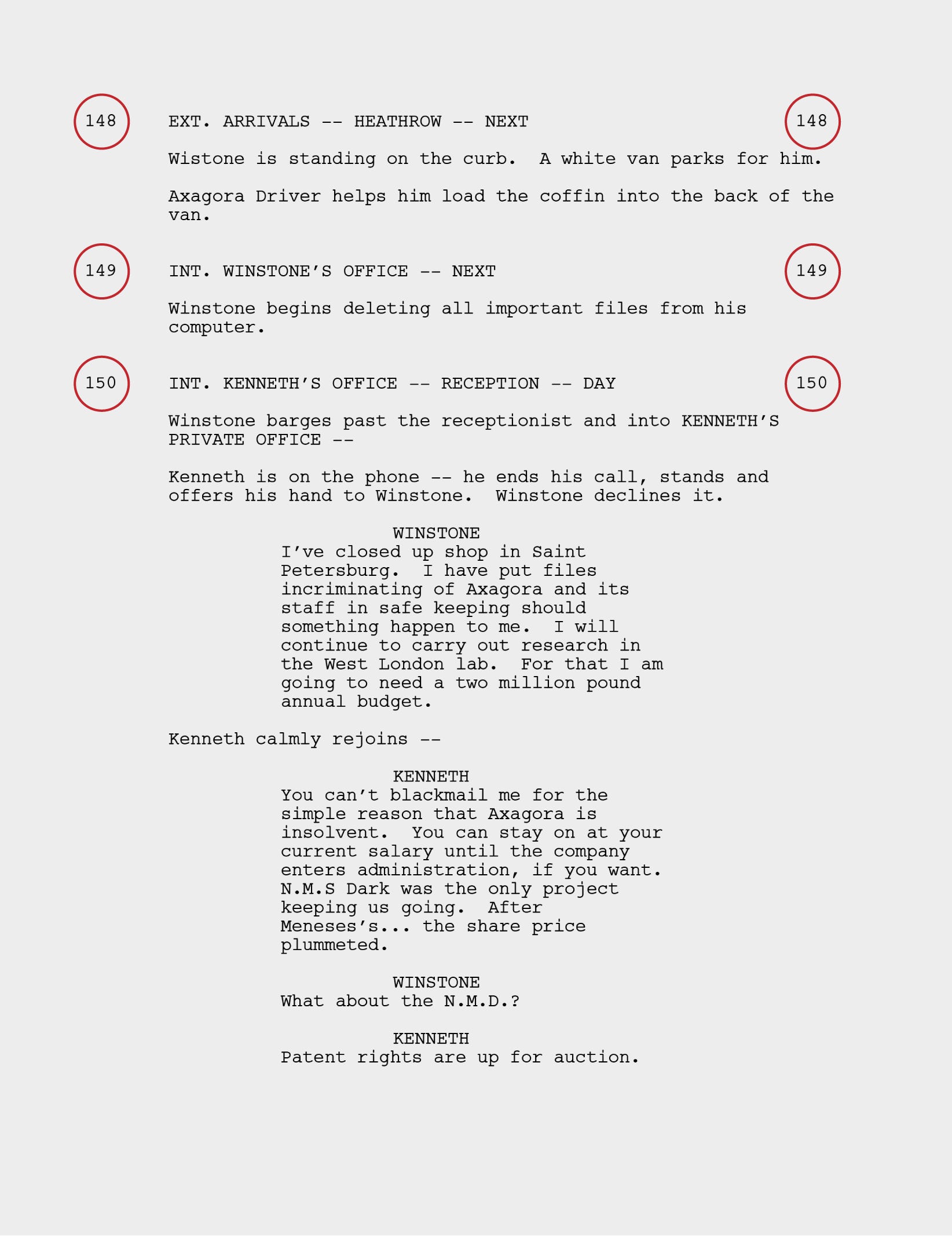
The easiest way to track what you have and don’t have is to track the production scene by scene. On any scripted project, this means giving each scene a number and tracking its progress, usually in the simple format of “Still to Shoot”, “Completed” and “Part Completed”. On set, this starts with the Assistant Director, who breaks down the script by these numbers and works out the best way to film each scene. Often that means filming the whole scene in one go, but sometimes it makes sense to split a scene into its constituent parts. A phone call, for example, will more than likely be filmed on different days in different locations. More complex scenes — especially action scenes or big set pieces — can be split into many different sections. In his talk on the Dune films, Joe Walker describes how the worm-riding scene from Dune: Part Two came together over many small shoots spread across several months.
The person on set generally in charge of tracking what was shot, and what’s yet to be shot, is the script supervisor. The script supervisor reports each day on what’s been shot and what remains for any of the scenes covered. This is why the daily progress report is so important to the editor: as they assess all the footage they have, they should also be told whether there’s an intention to shoot anything else for that scene. A big part of the editor’s daily job — assembling the footage that comes in from set — is taking the script supervisor’s information and judging whether there really is enough to do what the director intended. This can be hugely important for the production. You may never get back to that location again, so an editor flagging to the director and production team that something might be missing is an art in itself.
For editorial, there were many ways of tracking progress. One editor I know would print out a one-line story order (basically a list of the scenes) and use different coloured stickers next to each one to mark its status. At a glance, they could see what had been shot.
The last reason is simply about feeling good — knowing the episodes are coming together. When you start on a production it can seem so daunting, like you have so much still to go, such a hill to climb. Then it’s amazing to wake up one day and realise you’ve shot so much, or that you’re almost finished an episode. It’s always satisfying to glance down and see where you are.

The At-a-Glance Progress Report
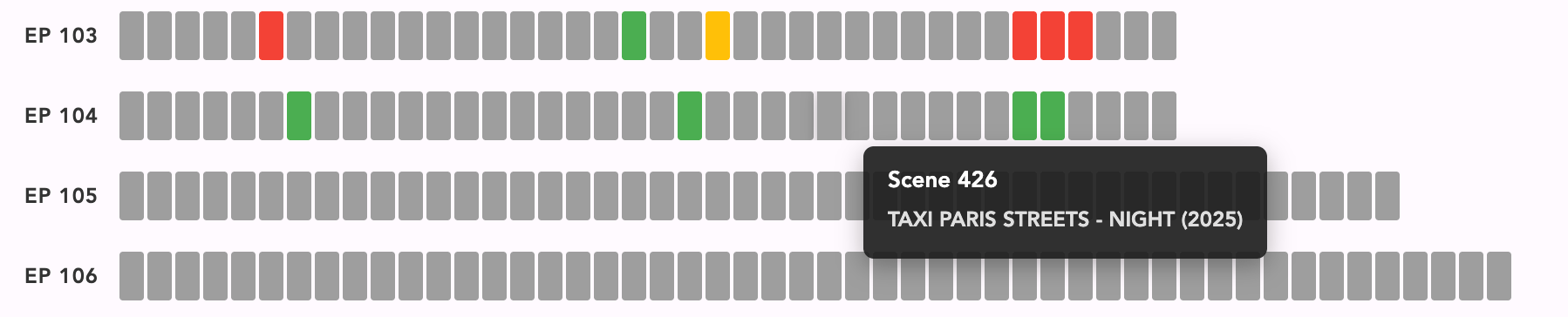
This was the challenge I set myself a couple of years ago: to produce an at-a-glance view of the progress of the shoot. I’d built a tool that would break the script down into its constituent scenes and describe each one in a single line. I used this document to track the daily progress from set, and — as an editor — to fill in what remained to be shot for each scene, along with any additional material I needed to complete it (pickups or extra close-ups that might help the storytelling). But what I really wanted was the ability to see, at a glance, where we were with the episodes, and to share that easily with the director and production.

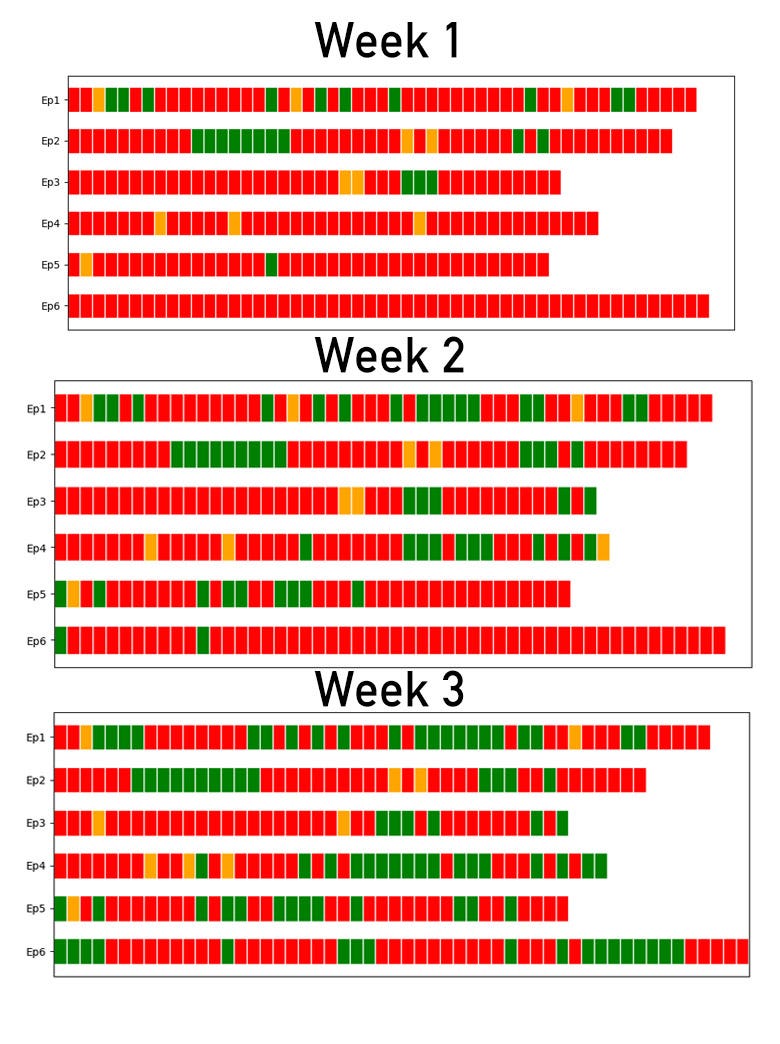
Here’s an earlier post where I created an image for this each week from my scene progress document. It had a little space for each scene, coloured grey, orange or green to indicate its progress.
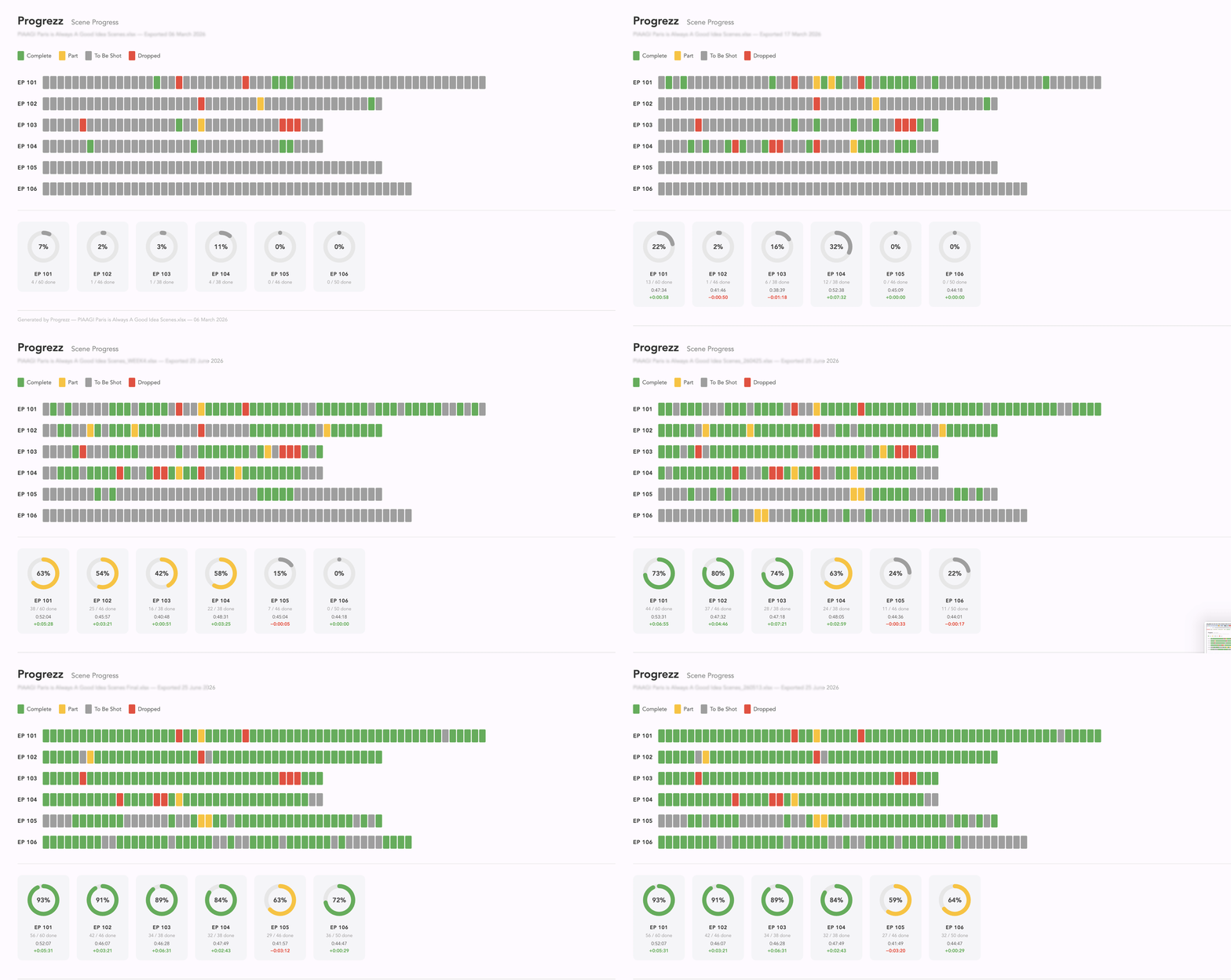
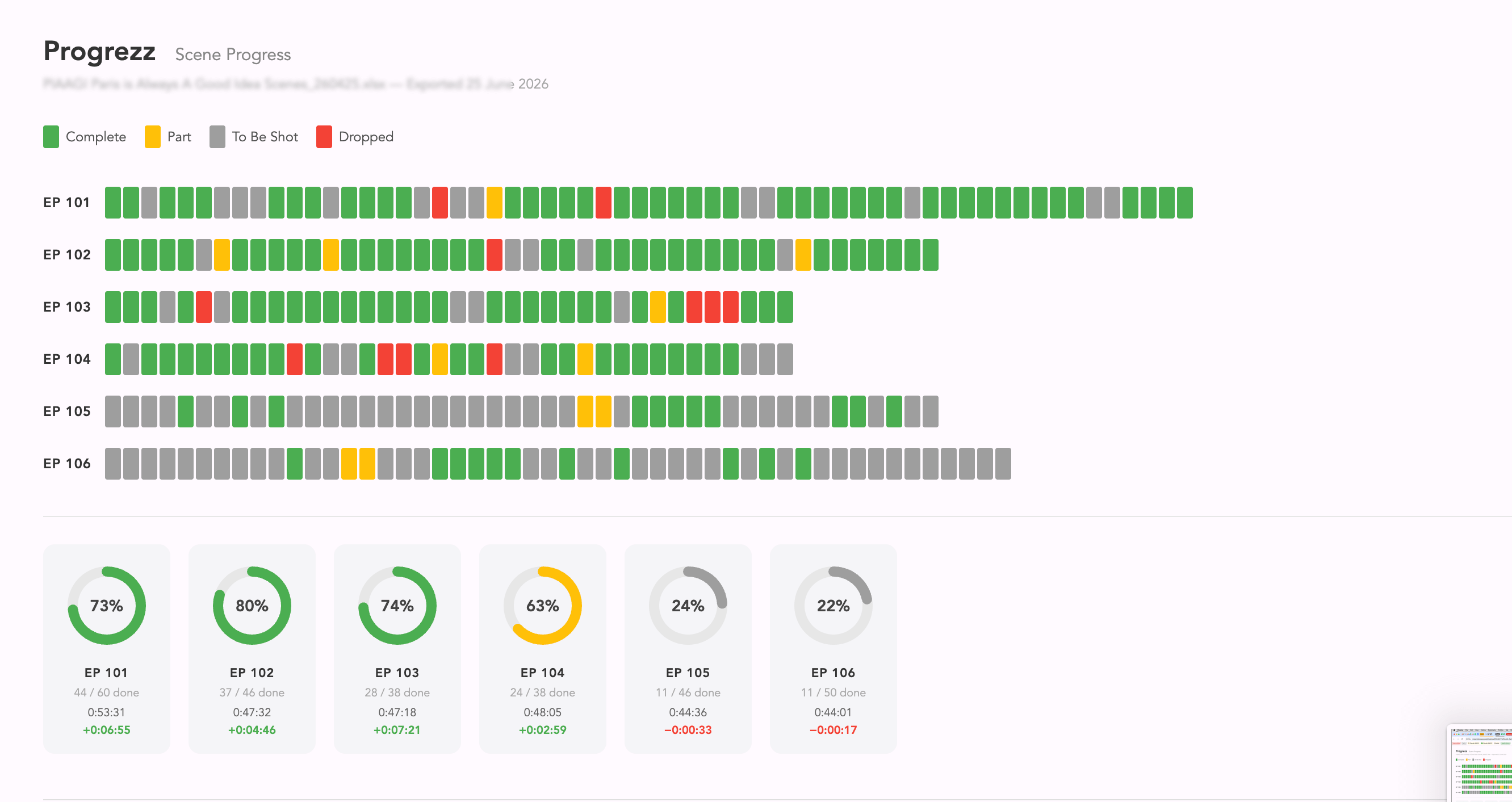
Over time I’ve refined the at-a-glance progress chart into an easily emailable document that’s simple to read and also interactive: hover over any scene and its details appear, and I’ve made it easy to view on both iPhone and web browser.
I sent this out once a week during the shoot to keep everyone informed of how we were progressing.

What Have I Learned
I’ve now worked on a number of productions where this method has been used, and I’ve found it fascinating. I think it has helped build a rapport between editorial and the on-set team, as everyone gets to see how we’re progressing together. For example, on a recent production, the producer was able to come back in the final week and query some gaps that still existed in one of the episodes.
I also have a better understanding myself of where I am with each episode. Progress often comes in tiny increments and then all at once. Being able to track the progress of how the episodes come together allows me to move my priorities. Seeing that one of my episodes was close to completion early on in the shoot, I was able to allow some time to tidying up that episode and getting it out early to the director. With the director reviewing that episode sooner, I had a chance to play catch-up on the later episodes — a much better use of everyone’s time as we eked out a vital few days on a tight schedule.
I love watching how the shoot evolves week by week, and its impact on the episodes. I love seeing locations pop on and off across an episode — sometimes appearing in every episode, sometimes showing that one particular episode is highly dependent on a single location, so that it goes from grey to green almost in one go.
I’m excited to see where this goes. I’m sharing the latest series with you now, but I’m hoping in future to go back and chart the progress of previous productions (if only I had more time!) so I can compare the animated progress of multiple productions over time.

Looking Forward
I haven’t invented Facebook here. While there might be might be a practical application to a little app like this, I don’t really think that there is a huge market for something like this, it’s quite niche and specific to a small area. But I think that’s what’s exciting about something like this, that for relatively little time and cost I have produced something which makes my day a little bit easier, makes the day of a few people around me a little bit easier, and surely that is to be celebrated and encouraged.
Yay! Go Shane!